
Today’s opening hours: Universitätsbibliothek from 8:00 to 21:00 o’clock · Teilbibliothek Mil: now closed · Teilbibliothek Jura: now closed


Would you like to learn in a group, practice a presentation or do you have an online meeting?
Use our group working space and our three group study rooms.
The group study rooms can be used for team meetings, but also for hybrid meetings or online events. The two smaller rooms can be reserved by HSU students. If no reservation has been made, the rooms will be available to all library users.
The large group study room is designed for several groups and is open to everyone without a reservation.
If you work alone, please use the individual workstation only.
Universitätsbibliothek (Univeristy Library), MB/ET I section (1st floor).
Group study rooms can be reserved for a period of 30 minutes to 3 hours.
Each HSU student can make a maximum of one booking per day or two reservations per calendar week.
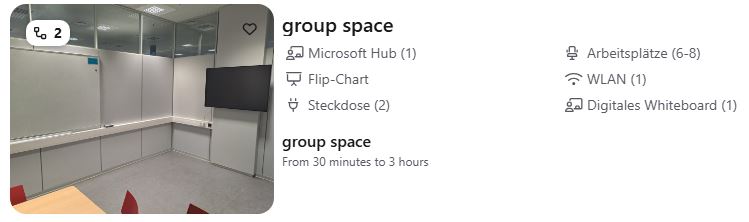
Each group study room is provided with several sockets as well as a Microsoft Hub, whiteboard, and flipchart.
Such as flipchart paper, pens for whiteboard, camera and pen for Microsoft Hub. On request can be obtained in exchange for your student or library card as a deposit from the University Library information desk (2. OG).
Reservation of the group study rooms is made via the booking tool Anny. It is possible from the following day and no more than 14 days in advance. Bookings for the current day are not possible. After successful reservation you will receive a corresponding email confirmation.
For communicative work in small groups, you are also welcome to use our group working area at WiSo I in the university library (2nd floor) and MB/ET I (1st floor).
A reservation is not required.
Alternatively, a group workstation is also available in the Teilbibliothek Mil (Military Library) on the ground floor.
To log in to Anny, you do not need an additional account. Just use your RZ-Kennung (Computing Centre ID) to log in via Shibboleth.
1. Select “Login with SSO”.
SSO stands for Single Sign-On and is required for logging in with your Computing Centre ID.
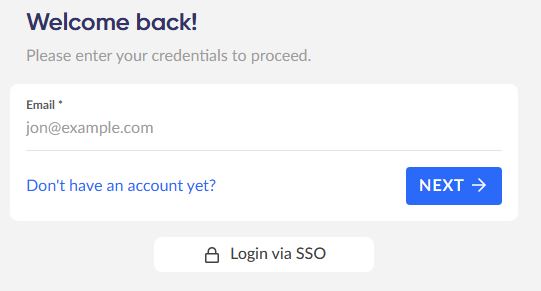
2. Log in with your Computing Centre ID (Shibboleth).
Now enter your full email address so that Anny can forward your registration to Shibboleth (e.g. [email protected]).
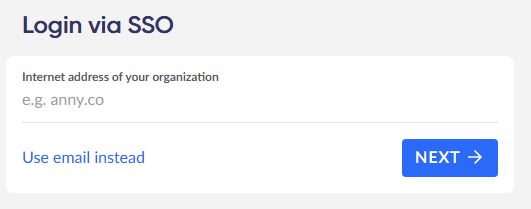
3. Group study room
Please select the date and time. Then select which group study room you require.
Room 1: for up to 6 students.
Room 2: for up to 8 students.
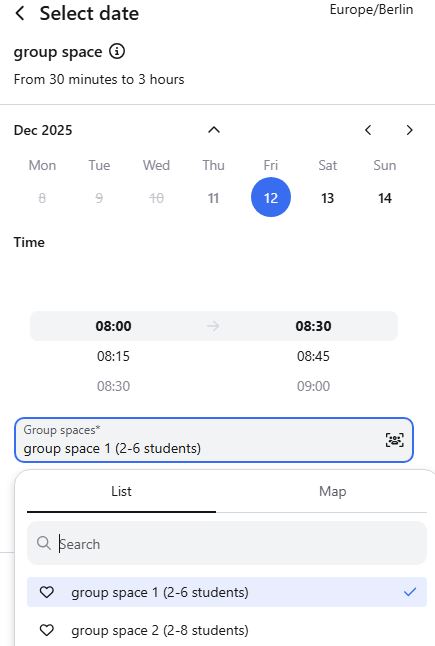
4. Click on button “Continue”.
Afterwards, there is the option to select additional material.
5. Click on “Book now”.
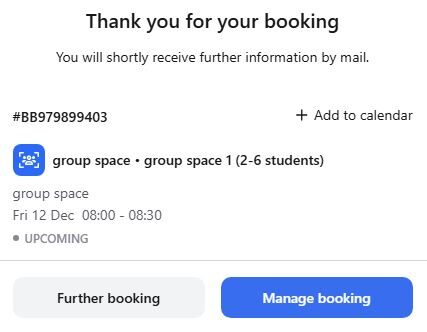
6. You will receive a booking confirmation and an overview of the selected dates.
You can set reminders or cancel your booking under “Manage booking”.